Moxxy becomes expressive
21/02/2026 · 4 min
A lot has happened since I last worked on Moxxy, the most important for us today being the release of Material 3 Expressive. I personally love the direction Google is taking by making the UI fun for users (and designers!) while still focusing on and improving ease of use and readability.
The reason I mention this is because I think Material 3 Expressive is a perfect fit for Moxxy. PapaTutuWawa told me he wanted to make Moxxy more unique, and you will see through this blog post that the new features that Material 3 Expressive offers enable us to do just that.
An artist needs tools
One of the things I like most about Material 3 Expressive are the vibrant color schemes. Lucky for us, in 2025 the planets aligned and Penpot released a new feature called design tokens, which is particularly useful for handling color schemes.
At first, I still had to manually enter each color token in Penpot based on the palette generated by Material Theme Builder. But soon enough, I noticed that Material Theme Builder could export a JSON of its tokens, and that Penpot allowed me to import a JSON of my tokens. Unfortunately, they were not formatted the same way and were incompatible.
So I made a script to convert the Material Theme Builder file into a format that Penpot could import, and voilà! I could finally try out any color scheme in a matter of seconds.
Onboarding
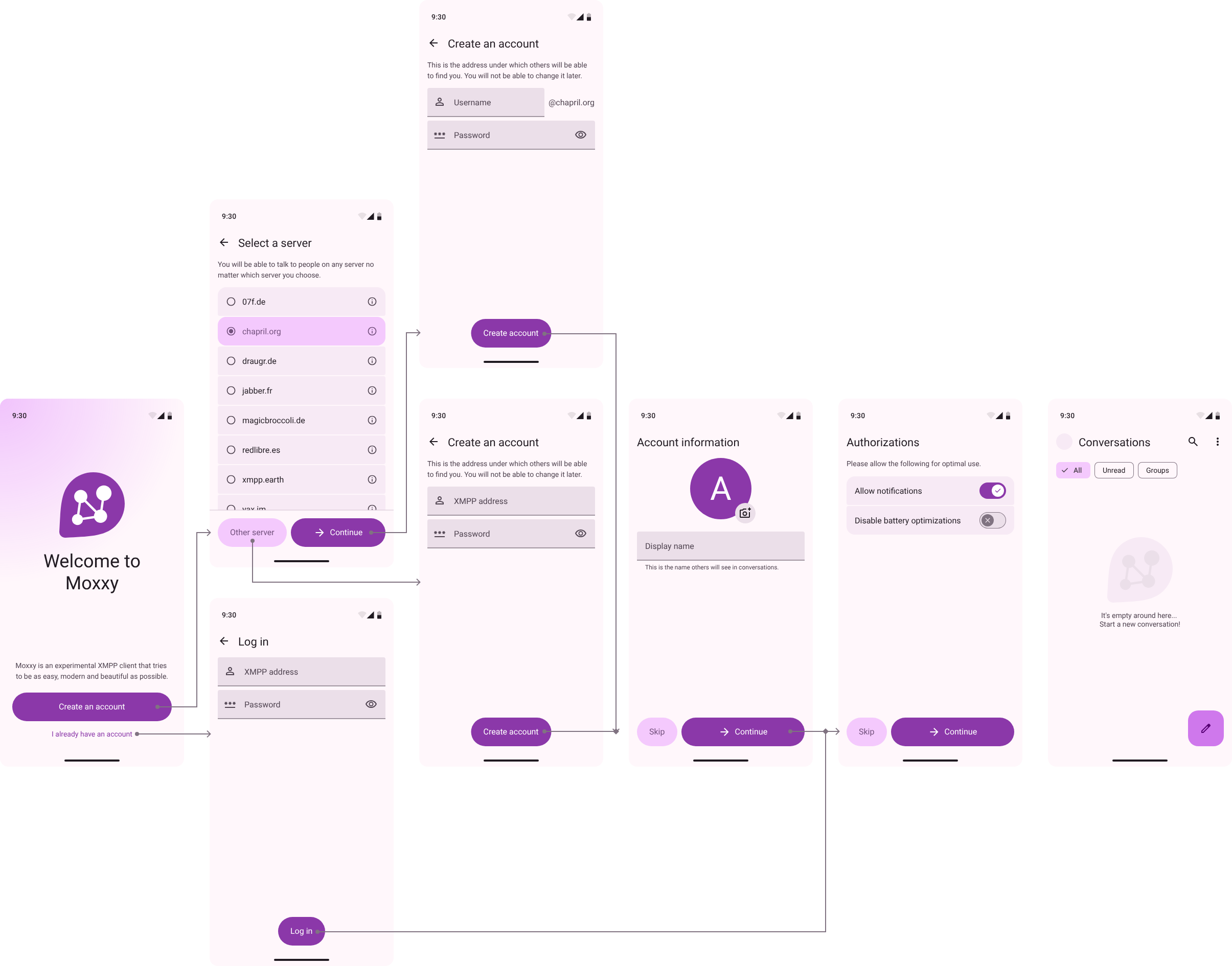
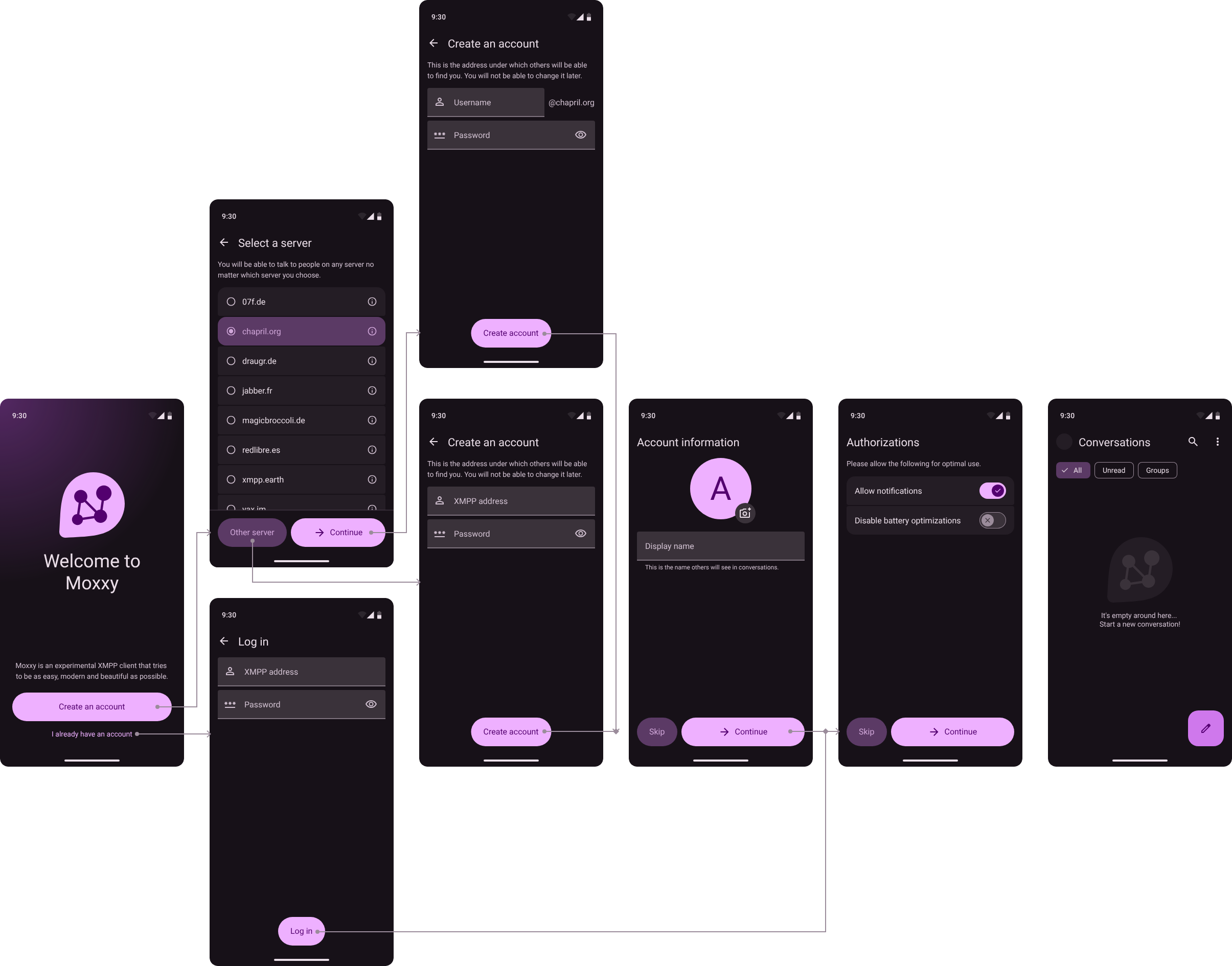
Since Moxxy is still experimental, I decided that creating a slideshow explaining what XMPP is and how it works wasn't a top priority. Instead, I chose to focus on users who know what XMPP is but don't necessarily have experience with it.
With this in mind, the "Create account" button provides users with a list of reputable XMPP servers with open registration (from XMPP Providers). Although this feature is uncommon among XMPP clients, I believe that having this list in-app strikes a good balance between user freedom and ease of use for beginners.
The more technical information about the recommended servers is hidden behind an "info" button (that links either to the server's main page or to the XMPP Provider's detailed page). This makes it less confusing for users who only want a cool-looking address. Of course, users can also choose a server that is not on the list.
Home screen
I had already done a home screen for Moxxy some time ago, but the transition to Material 3 Expressive gave me an excuse to give it a fresh coat of paint... and features!
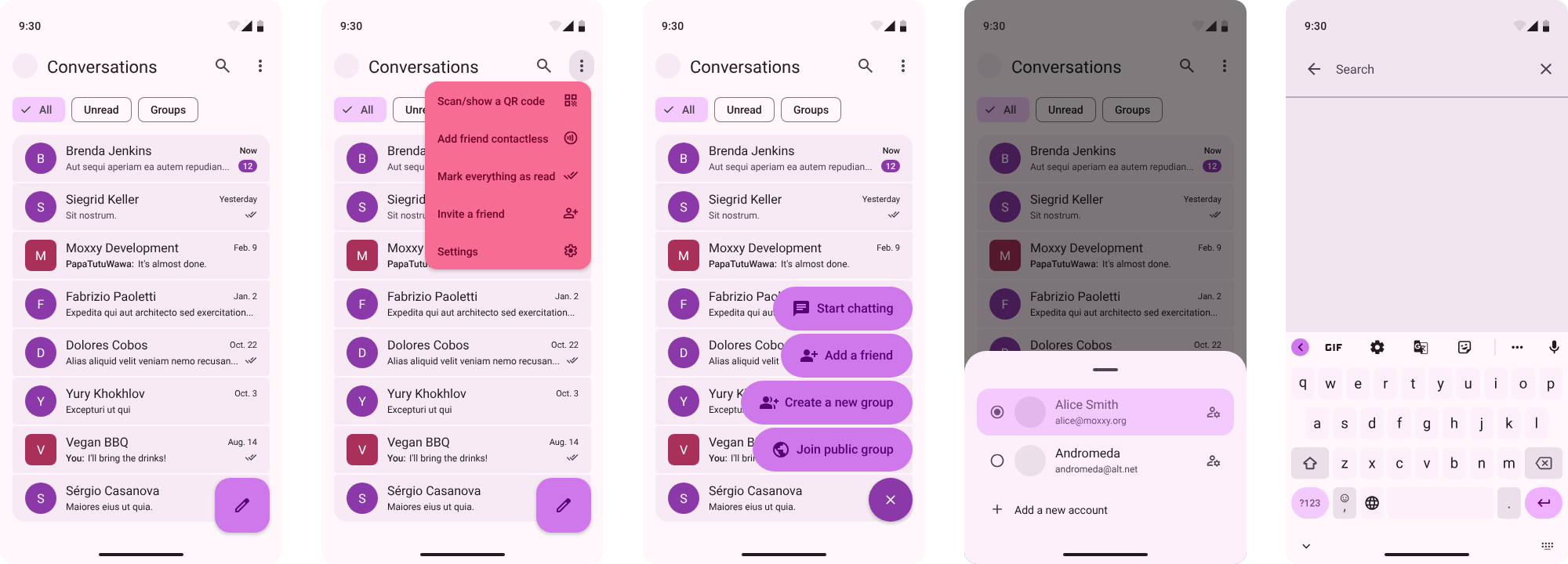
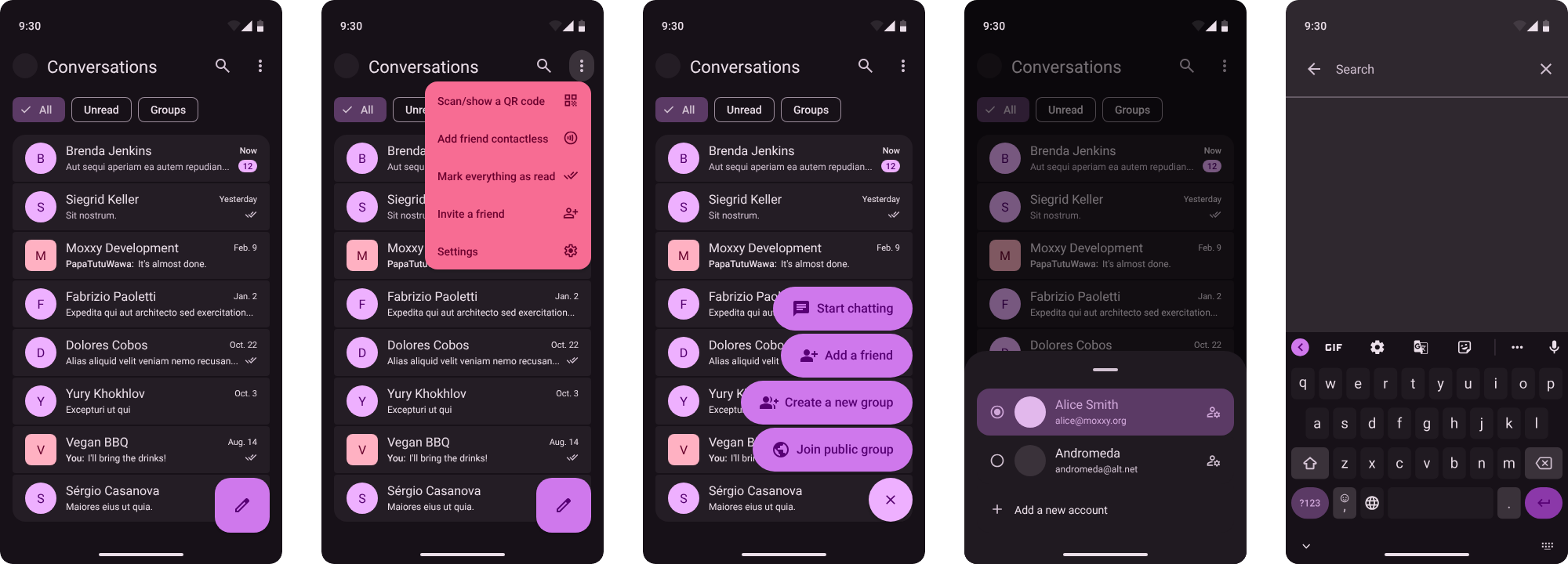
Everything should be pretty straightforward looking at the picture, but I'd like to highlight a few features that make this UI special:
- In the conversation list, different shapes and colors are used to differentiate between users and groups (the colors won't be visible once profile pictures are set, though). This improves readability, yet I haven't seen many messaging apps do this (the only example I have is WhatsApp on iOS — I don't know why they didn't implement it on Android as well).
- In the top-bar menu, you can see a mysterious "Add friend contactless" option. This is a feature that PapaTutuWawa imagined to make Moxxy more unique. It lets you add a new friend by touching phones while NFC is on, which could be a fun ritual at conventions!
- Multiple account support is uncommon among mainstream messaging apps but very common among XMPP clients. Here it's easy to access, with only two clicks to switch accounts.
The last feature I want to show you is a perfect example of how Material 3 Expressive enables us to make Moxxy more fun and personal: shapes!
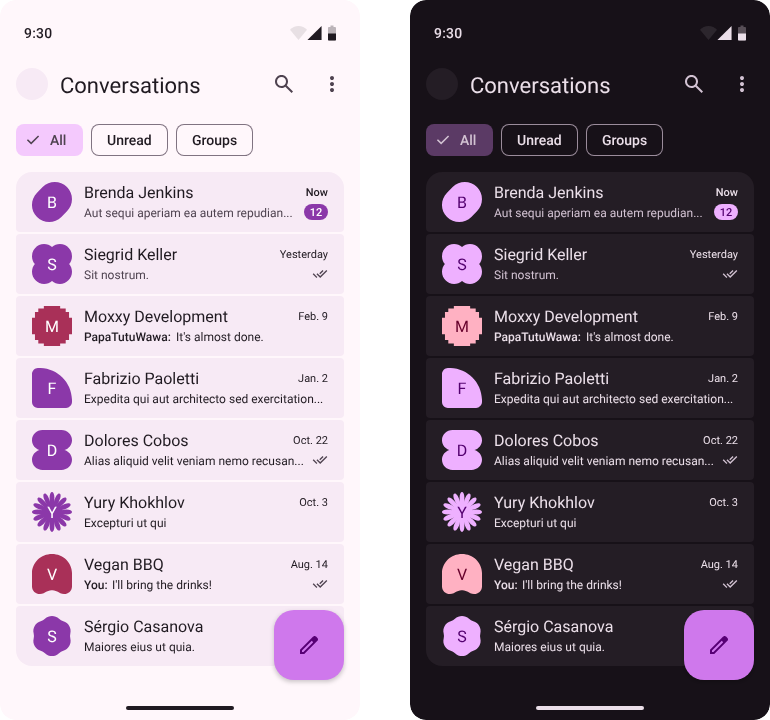
Allowing users to choose their own shape is both a cool customization option and an effective way to distinguish discussions. Also, it looks great.
Of course, "user shapes" are not currently in the XMPP specification, but they might just be in the future if there is enough interest! Even if they aren't, the feature can still exist locally by letting users set different shapes for different contacts.
Parting words
Before I let you go, I'd like to mention that Google has announced it will lock down Android, which would probably mean the end of Moxxy and most open-source apps. If you're interested in learning more or helping out, I encourage you to visit the Keep Android Open website.
That's all for today! As always, you can find the Penpot file for this design in the moxxy/design repository, where it is available under the CC-BY-SA license.
If you have any comments or suggestions, please post them under this Mastodon post or send them to me via email or XMPP!
:^)